
The governed AI portal for back-office operations
Your prompts and scripts, as one-click Apps your whole team can run.
Build once against NetSuite, Salesforce, QuickBooks Online, Xero, Maxio or HubSpot. Everyone else clicks Run and gets a finished report. Every run governed, costed and audited. AI results, not AI chats.

- NetSuite
- Salesforce
- QuickBooks Online
- Xero
- Maxio
- HubSpot
Connected over MCP. Each workspace connects its own accounts; credentials are never shared.
Build. Publish. Run.
The person who builds an App is not the person who runs it. Builders see prompts, connectors and code. Runners see a button, a short form and a result.
- 01
Build
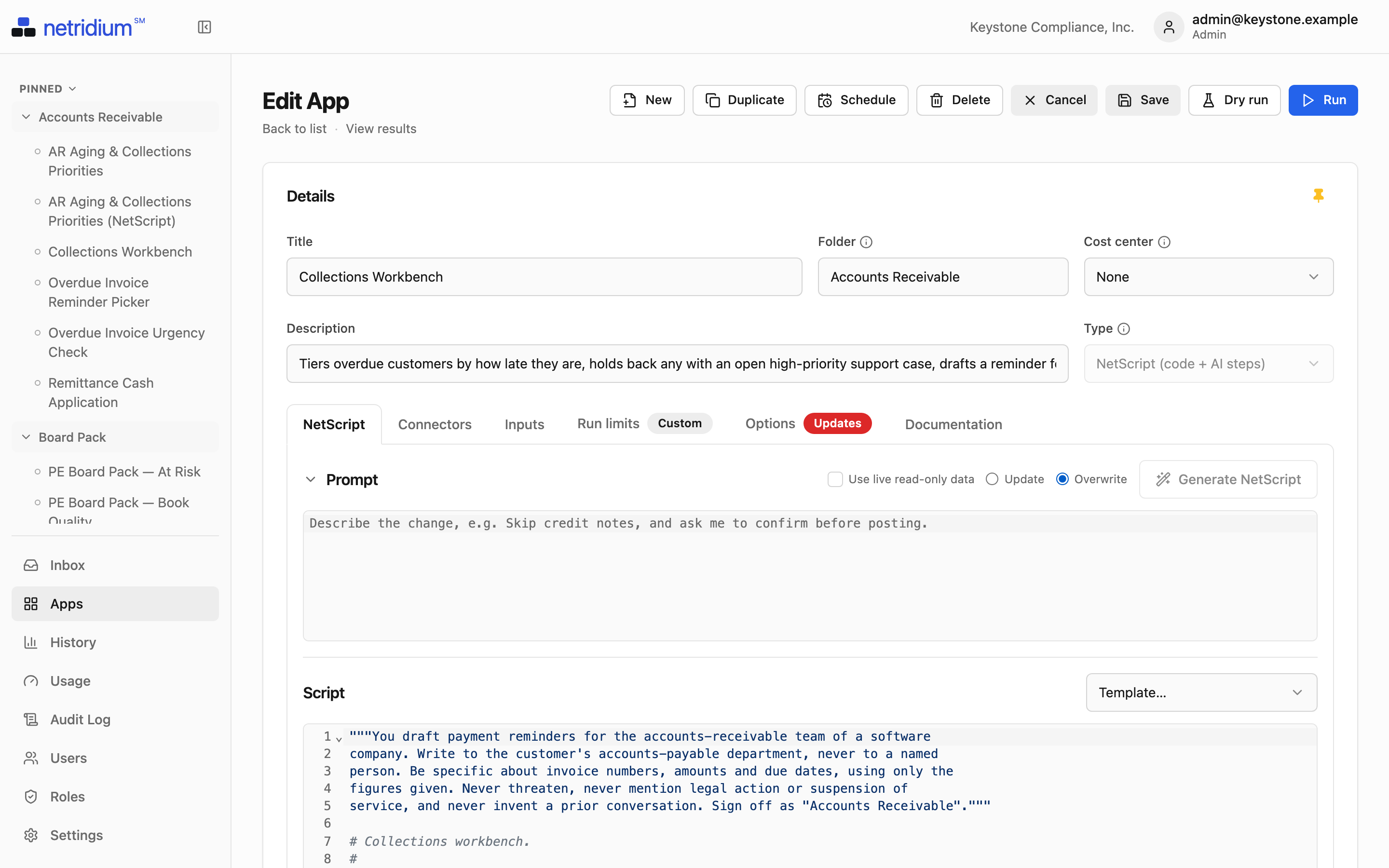
Write a Prompt in plain English. When the steps must be exact, describe them and Netridium generates a NetScript. Pick the connectors, add an input form, set run limits.
- 02
Publish
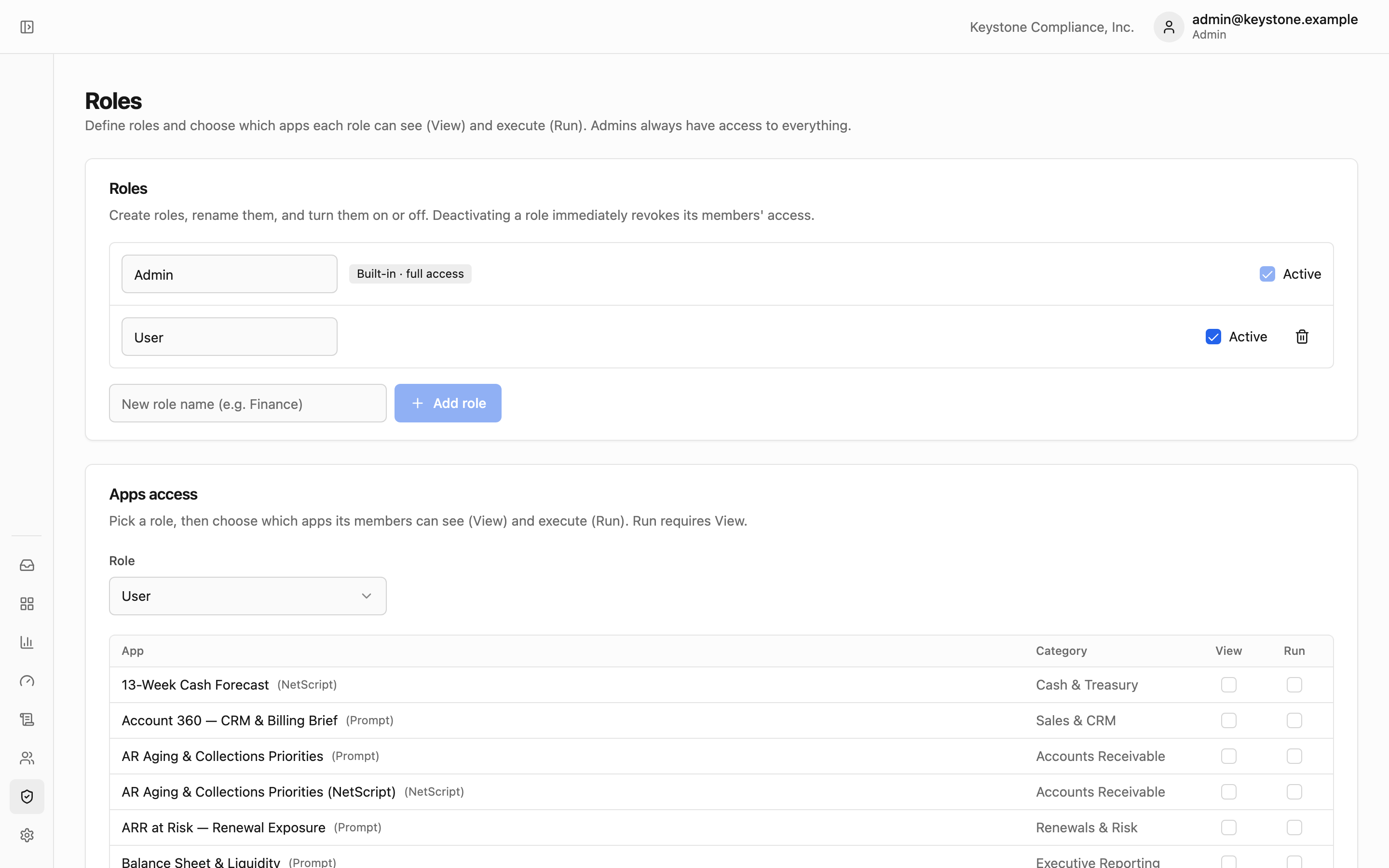
Grant View and Run per App, per role. Change or revoke it for everyone at once. Runners never see the prompt or the code.
- 03
Run
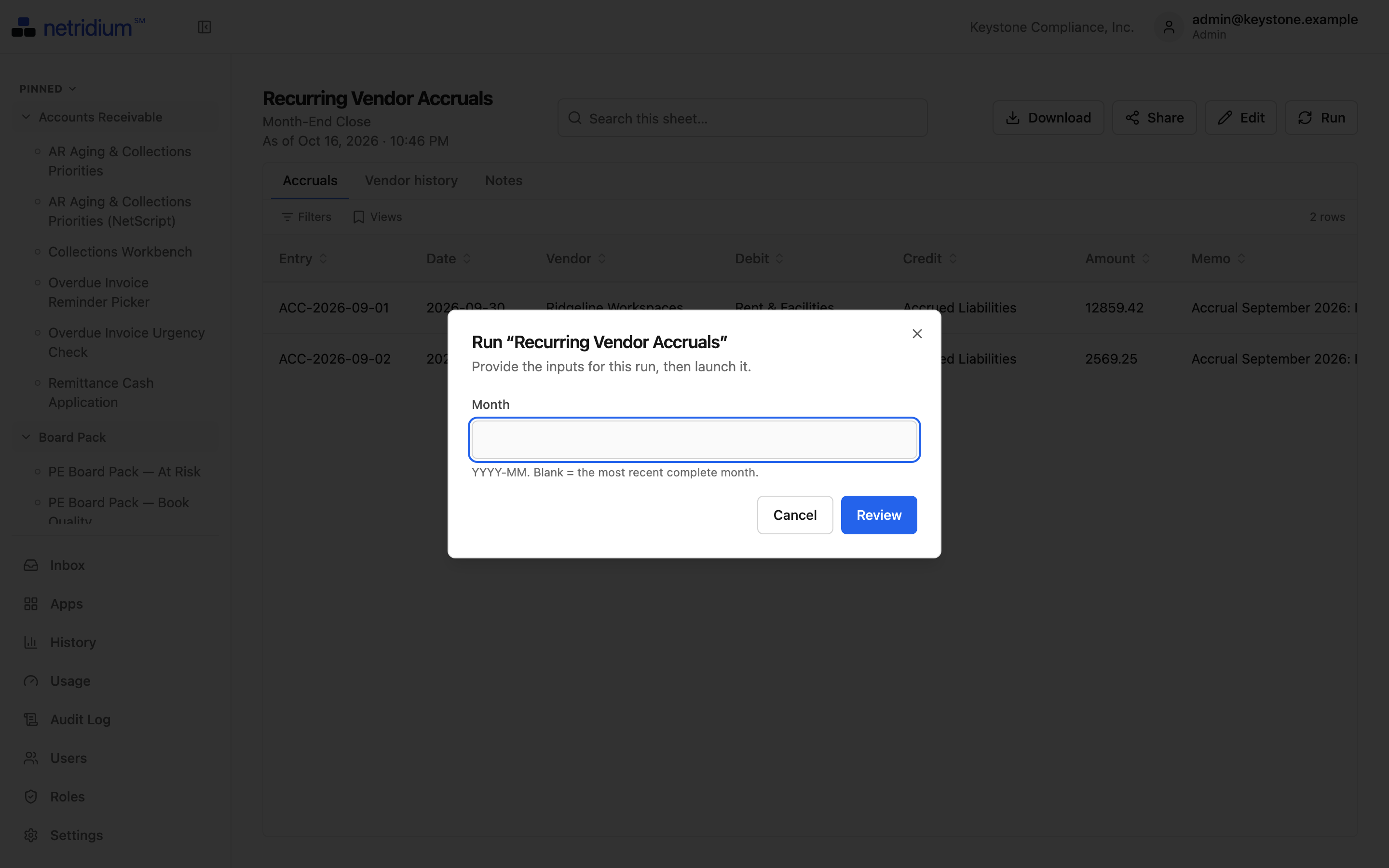
Fill the form, click Run, get a finished report: Excel, PDF, a dashboard card. Every run is recorded, costed and replayable.


Built for the people who answer to auditors.
Finance & back office
Close summaries, reconciliations, AR aging, revenue reports — run on demand or on a schedule, without touching prompts or systems.
- One click → a finished report
- Results link back to the source record
- Every run costed to a cost center
IT & admins
Connectors, roles, run limits and budgets in one place, with an audit log you can hand to an auditor.
- Read-only by default; writes granted explicitly
- Role-based View and Run per App
- Budgets and fail-closed run limits
Consultants, accountants & MSPs
Manage every company from one console, and bill each one for what it used.
- One console for every company
- An isolated workspace per company
- Per-company usage for clean rebilling
Governance isn't a feature. It's the product.
The reason to choose a portal over handing staff raw AI logins.
- Role-based access
Who can see an App, and who can run it, per App and per role.
- Complete audit trail
Who ran what, against which data, every write, every admin change. CSV export.
- Read-only by default
Writes need opt-in on the App and the connector, and a confirmation before each run.
- Every run bounded
A ceiling on cost, time and number of updates, enforced while it runs. No "no limit".
| Cost center | GL account | Runs | Amount |
|---|---|---|---|
| FIN-100 · Accounting | 6820 | 412 | $318.40 |
| SLS-220 · Sales Ops | 6820 | 186 | $142.75 |
| OPS-310 · Supply Chain | 6825 | 97 | $74.10 |
| Total charged back | 695 | $535.25 |
Start from Apps that already work.
The demo workspace ships with Apps for QuickBooks Online, Xero, Salesforce, HubSpot and Maxio. Import one, change the inputs, publish it.
- Executive Weekly Business ReviewSalesforce · QuickBooks OnlineThe Monday one-pager: revenue, net income, cash, runway, pipeline and closed-won, then three things going well, three needing attention and a watch list with dollars attached.
- Deals at RiskSalesforce · QuickBooks OnlineAn
agentstep weighs slipped close dates, silence, missing next steps, open support cases and late payment together, then ranks the pipeline by value at risk with a specific next action for each deal. - 13-Week Cash ForecastQuickBooks OnlineA weekly cash forecast from the ledger: receipts timed by each customer's own payment history, bills by due date, payroll and recurring spend from the recent pattern, with a minimum-cash alert.
- Flux Review — P&L Variance ExplainerQuickBooks OnlineFinds the profit and loss lines that moved more than a dollar and percent threshold, then an
agentstep reads the transactions behind the largest ones and explains each, with evidence. - Purchase Order Approval by Authority LimitQuickBooks OnlineOpen purchase orders up to the authority limit are decided by the person running this; larger ones are sent to the controller.
- Customer Concentration & Key-Account DependencyMaxioTop-N share of ARR, an HHI concentration score, and the departure test — what the growth rate becomes if each of the top five leaves.

When the steps must be exact, generate a NetScript.
Describe the process in plain English and Generate writes the NetScript, using the real tools your connectors expose. You review the code; you rarely write it. NetScript is a governed Python dialect for AI. Arithmetic, totals, connector calls and updates run as code, never inside a model, so they spend no AI tokens. The AI is called only where the script marks it, and must return the record shape it declared. Nothing it says can change a record until the script has validated it or a person has approved it.
class Urgency(Shape):
    priority: Enum["low", "medium", "high"]
    reason: str = field(max_len=200, required=False)

def run(as_of: Date):
    invoices = query(QBO.Invoice, select=["Id", "DocNumber", "Balance", "DueDate"],
                     where=[QBO.Invoice.Balance > 0])
    overdue = [i for i in invoices if i.DueDate < as_of]          # code, exact
    u = ask(Urgency, "How urgent is this overdue balance?",       # one typed AI call
            data={"invoices": overdue}, model="fast")
    go = request_confirm(f"Flag {len(overdue)} invoices as {u.priority}?")  # a person decides
return {"priority": u.priority, "total": sum(i.Balance for i in overdue)}Simple pricing: a platform fee plus seats.
A platform fee, plus a fee for each builder and each runner. Prepay AI usage in dollars, or bring your own key. Enterprise adds SSO and multiple workspaces.
See it run on real books.
The live demo is a read-only workspace with connected sandboxes. Click anything.